What’s New?
Sound notifications in the Live Chat Widget have been expanded to cover
many more system and lifecycle messages
, ensuring website visitors don’t miss important updates during a chat session.Previously, sound alerts were limited to standard incoming chat messages. Now, sounds are also played for key moments like chat initiation, acknowledgements, welcome messages and form-related messages; all governed by the existing
“Notification Sound”
toggle.How It Works
The Notification Sound toggle continues to live under:
Chat Widget > Chat Window > Additional Options
•
ON (default)
: A sound will play whenever a supported message is shown to the visitor.•
OFF
: All messages are delivered silently without sound, popup, or badge interruptions.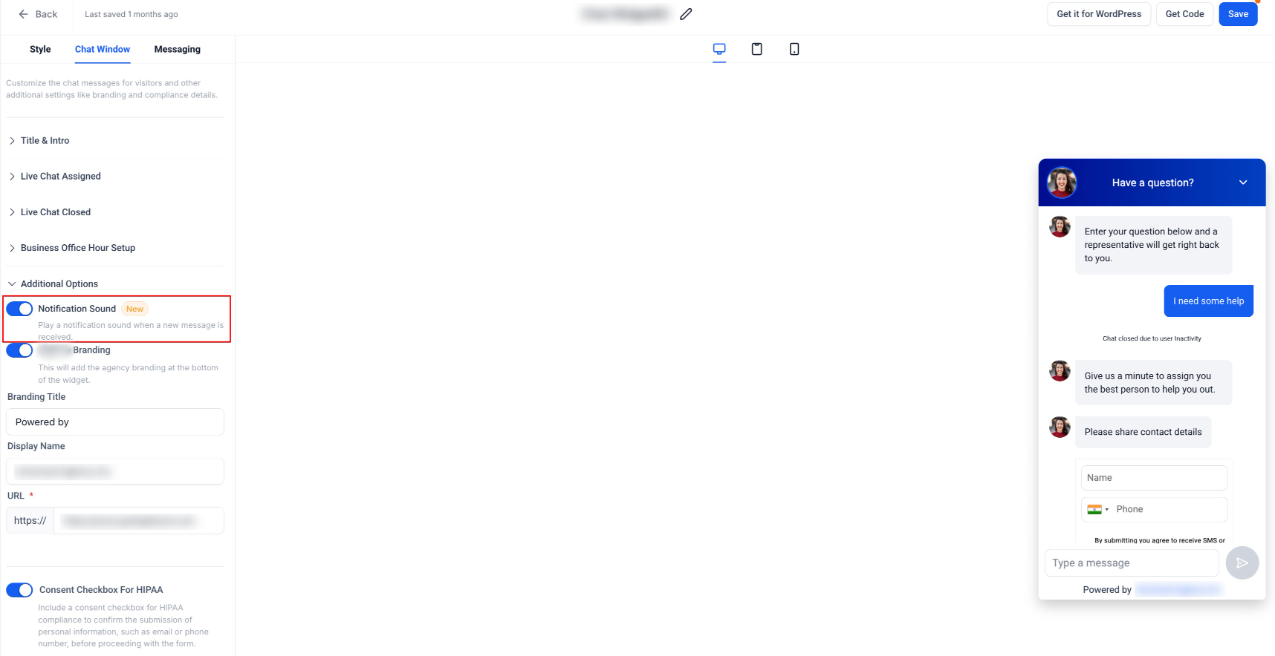
With this enhancement, sound notifications are now triggered for the following message types:
1. Live Chat & Session Flow
- Live chat intro message- when starting a live chat session and after successful contact form submission.
- Acknowledgement message- when a chat is acknowledged or ended.
2. Business Hours Handling
- Outside office hours welcome message: when business hours are disabled, when contact form is shown and when received during an active session.
3. System & Greeting Messages
- Subheading message: Initial greeting for new visitors, when no previous chats are available and during inline mode initialization.
4. Forms & Redirects
- Contact details requested message: when the contact form is displayed
- Redirect message: after form submission when redirect is enabled
All of the above messages will now play a sound when they appear, provided the Notification Sound toggle is enabled.
Why It Matters
- Ensures visitors are alerted during every important chat interaction, not just agent replies.
- Improves responsiveness during chat initiation, acknowledgements and form-based flows.
- Maintains full control for businesses through a single toggle.
- Creates a more consistent and predictable chat experience for end users.
Notes
- Notification Sound is enabled by defaultfor Live Chat widgets.
- The toggle applies to all supported chat messageslisted above.
- Accounts can control this setting independently per widget.
- Disabling the toggle will suppress all sounds, while messages will still appear normally.
Was this article helpful?
That’s Great!
Thank you for your feedback
Sorry! We couldn't be helpful
Thank you for your feedback
Feedback sent
We appreciate your effort and will try to fix the article